Top 4 compared
The best Wi-Fi extenders
Wi-Fi that finally reaches the back bedroom, the loft room or the bottom of the garden.

As an Amazon Associate we earn from qualifying purchases. It costs you nothing extra. How this works
The top 4 at a glance
An extender sits between the router and a room the signal struggles to reach, picks up the router’s Wi-Fi and passes it on. It’s the quick fix for one weak spot, such as a back bedroom, a loft conversion or a garden office; a house with weak spots everywhere is a job for a mesh Wi-Fi system instead. Most plug straight into a wall socket; a few stand on a shelf with a power adapter of their own.
Put it where the router’s signal is still good, about halfway to the weak spot, rather than in the dead spot itself. Each one here works with any common router, and can also join a mesh with routers from its own maker, so phones and laptops move between the two on one network name instead of hopping between two networks.
What matters
- Wi-Fi 6 pays off with a Wi-Fi 6 router and newer devices.
- A gigabit Ethernet port for a console or desktop on fast fibre.
- A signal light or app to show the socket is a good one.
- Access point mode, to run it off a network cable instead.
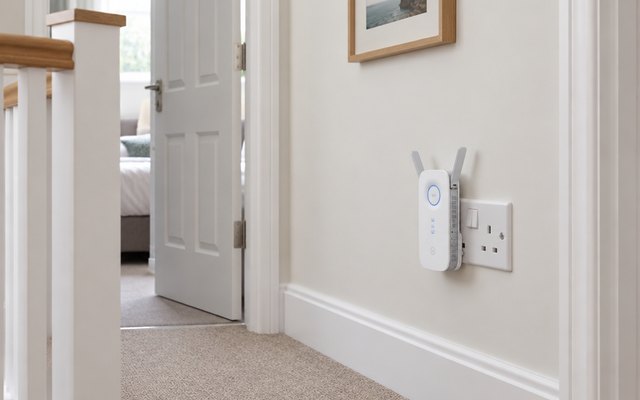
#1TP-Link RE550 AC1900 Wi-Fi Extender
£30–£50
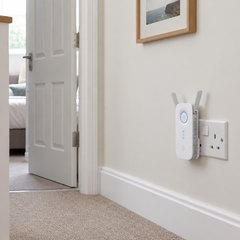
Three adjustable antennas and AC1900 dual-band Wi-Fi in a plug-in unit, with a gigabit port that turns it into a wired link for a smart TV or console in a far room, and it meshes with TP-Link’s OneMesh and EasyMesh routers.
What owners say: Owners describe Wi-Fi reaching the far end of the house and out into the garden, with downloads quick again.
A closer look: Plug it in roughly halfway between the router and the weak spot, then try a socket nearer the router if the signal light shows a poor link. Angling the three antennas in different directions spreads the coverage, and TP-Link’s Tether app handles setup from a phone.
- Three adjustable antennas
- Signal light shows link quality
- Sets up in Tether app
Best for: Rooms the router misses
- Wi-Fi standard
- Wi-Fi 5
- Speed class
- AC1900
- Ethernet port
- Gigabit
- Access point mode
- Yes
- Mesh with
- OneMesh, EasyMesh
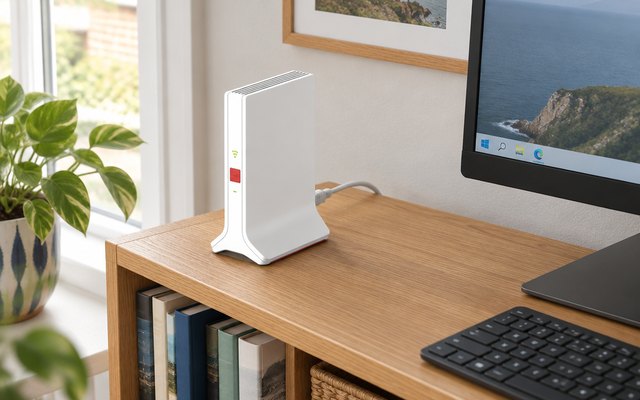
#2FRITZ!Repeater 3000 AX
£150–£200
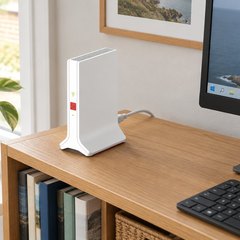
Three radios, two on 5GHz and one on 2.4GHz, share the work between the router and everything connected, and two gigabit ports take a TV, games console or desktop by cable.
What owners say: Owners found it simpler to set up than earlier extenders, and say it slots neatly into a FRITZ!Box mesh with a strong signal on both bands.
Heads up: It works with any common router, but FRITZ!’s mesh, which runs router and repeater as one network, needs a FRITZ!Box.
A closer look: Unlike a plug-in extender, it stands on a shelf with its own power adapter, so it needs a socket and a flat surface roughly halfway between the router and the rooms that struggle. AVM’s Wi-Fi app guides the setup and helps find the best spot for it.
- Stands on a shelf
- One-button WPS setup
- App guides setup and placement
Best for: Big homes and wired kit
- Wi-Fi standard
- Wi-Fi 6
- Speed class
- Tri-band, 4,200 Mbit/s
- Ethernet port
- 2 x gigabit
- Access point mode
- LAN bridge
- Mesh with
- FRITZ!Box mesh
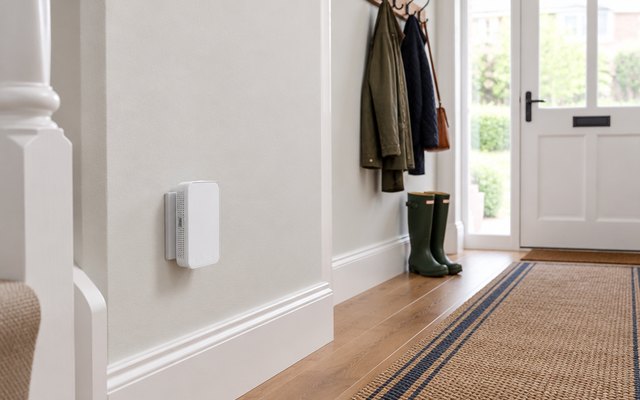
#3TP-Link RE330 AC1200 Wi-Fi Extender
£20–£30
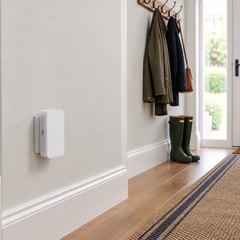
A small wall-plug extender with AC1200 dual-band Wi-Fi, a signal light that helps find the right socket and an Ethernet port for a TV or games console; with a OneMesh or EasyMesh router it joins the home network rather than running one of its own.
What owners say: Owners say it works straight out of the box, sets up easily and gets Wi-Fi to places it never reached, out to the garden and the summerhouse, though some found the link patchy.
A closer look: Its Ethernet port runs at up to 100 Mbps, plenty for streaming to a TV, though a console or desktop on a fast fibre line gets more from a gigabit port. High Speed Mode uses both Wi-Fi bands together for one quicker link, worth trying for streaming in the far room.
- Signal light finds best socket
- Uses both bands for speed
- Small wall-plug unit
Best for: Streaming in one far room
- Wi-Fi standard
- Wi-Fi 5
- Speed class
- AC1200
- Ethernet port
- 10/100
- Access point mode
- Yes
- Mesh with
- OneMesh, EasyMesh
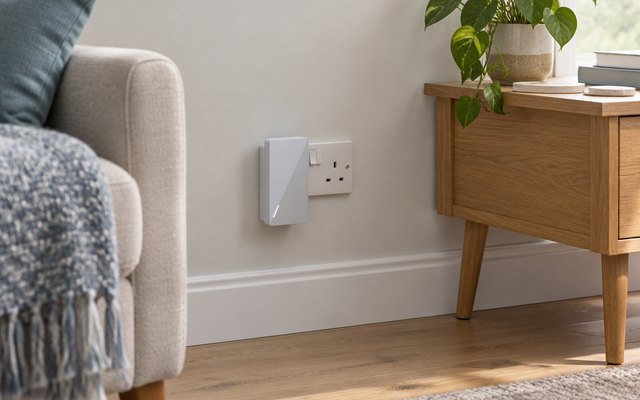
#4ASUS RP-AX58 AX3000 Wi-Fi 6 Extender
£59.99 RRP
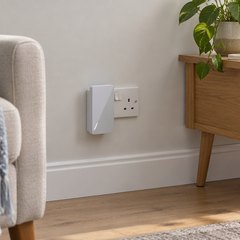
Wi-Fi 6 with 160MHz channels for quicker links to newer phones and laptops, and with an ASUS router it joins as an AiMesh node, so the house shares one network run from the ASUS Router app.
What owners say: Owners report fast, full-strength Wi-Fi out to the driveway and garden, with devices moving to the stronger signal by themselves.
A closer look: In media bridge mode it works the other way round, taking Wi-Fi in and passing it by cable to a TV, console or desktop without wireless of its own. Phones and laptops with Wi-Fi 6 get the most from it, while older devices still connect as normal.
- Passes Wi-Fi to wired TVs
- Managed in ASUS Router app
Best for: ASUS routers and Wi-Fi 6 phones
- Wi-Fi standard
- Wi-Fi 6
- Speed class
- AX3000
- Ethernet port
- Gigabit
- Access point mode
- Yes
- Mesh with
- ASUS AiMesh
How they compare
Swipe sideways or rotate device to see all 4.
| Feature | #1TP-Link RE550 | #2FRITZ!Repeater 3000 AX | #3TP-Link RE330 | #4ASUS RP-AX58 |
|---|---|---|---|---|
| Best overall | Best premium | Best budget | ||
| Picked Rating | 8.6 | 9.3 | 8.3 | 8.0 |
| Price | £30–£50 | £150–£200 | £20–£30 | £59.99 RRP |
| Wi-Fi standard | Wi-Fi 5 | Wi-Fi 6 | Wi-Fi 5 | Wi-Fi 6 |
| Speed class | AC1900 | Tri-band, 4,200 Mbit/s | AC1200 | AX3000 |
| Ethernet port | Gigabit | 2 x gigabit | 10/100 | Gigabit |
| Access point mode | Yes | LAN bridge | Yes | Yes |
| Mesh with | OneMesh, EasyMesh | FRITZ!Box mesh | OneMesh, EasyMesh | ASUS AiMesh |
| Best for | Rooms the router misses | Big homes and wired kit | Streaming in one far room | ASUS routers and Wi-Fi 6 phones |
| Buy now | Amazon | Amazon | Amazon | Amazon |
Photos are illustrative, some computer-generated. As an Amazon Associate we earn from qualifying purchases. It costs you nothing extra. Certain content that appears on this site comes from Amazon. This content is provided ‘as is’ and is subject to change or removal at any time. How we pick · How this works.