Top 5 compared
The best mechanical keyboards
A crisp, satisfying press on every key, for long typing sessions and fast games alike.

As an Amazon Associate we earn from qualifying purchases. It costs you nothing extra. How this works
The top 5 at a glance
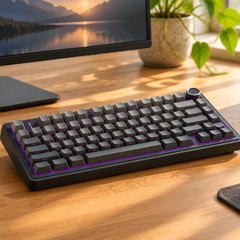
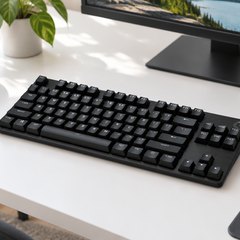
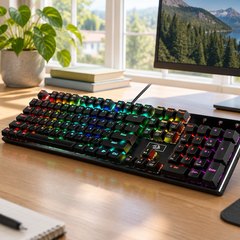
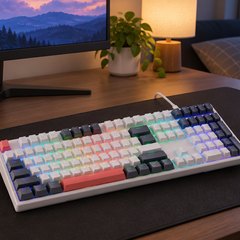
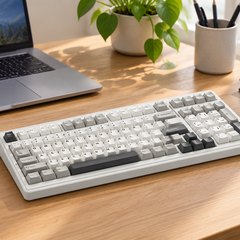
A mechanical keyboard is built around the feel of typing, and the type of switch under each key sets both the feel and the sound. Linear switches go straight down smoothly, tactile ones have a small bump you can feel as the key registers, and clicky ones add an audible click on top. Full-size boards keep the number pad; tenkeyless and smaller boards drop it to free up room for the mouse.
Most of the boards here have hot-swap sockets, so a switch can be pulled out and a different one pushed in without soldering; the Logitech is the exception. Every board here uses the standard US layout. The AULA boards also work wirelessly, and the rest plug in by cable.
What matters
- PBT keycaps, which wear better than ABS.
- Sockets that take both 3- and 5-pin switches.
- Media keys or a knob for the volume.
- Feet that tilt the board to more than one angle.
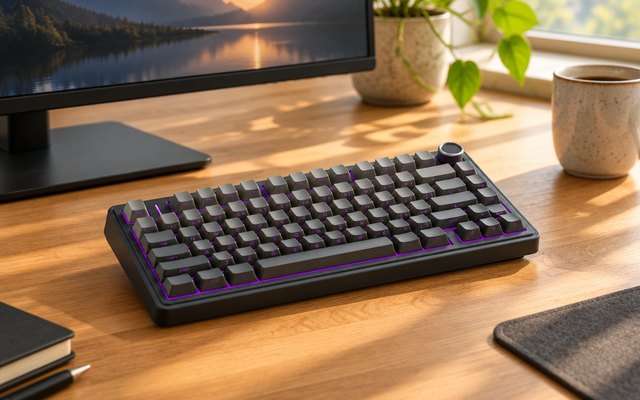
#1AULA F75 Pro Wireless Mechanical Keyboard
$50–$75
A 75% board that connects three ways, through a 2.4GHz receiver, Bluetooth or a USB-C cable, and pairs with up to five devices. A silicone pad and five layers of sound-damping fill soften the sound of its pre-lubed linear switches, and a knob on the corner handles the volume or the lighting.
What owners say: Owners rave about how smooth the keys feel and how bright the RGB lighting is, and one finds it stays firmly planted on the desk. The gradient keycaps catch the eye too.
A closer look: The legends are printed on the front edge of each keycap, so the tops stay clean and the lettering won’t fade under the fingers. Plug in the 2.4GHz receiver for games, switch to Bluetooth for a tablet or phone, and keep the cable for charging.
- Volume and lighting knob
- Pairs up to 5 devices
- Five layers of sound damping
- 4,000 mAh battery
Best for: A wireless desk setup
- Size
- 75%
- Switches
- LEOBOG Reaper, linear
- Connection
- 2.4GHz, Bluetooth, USB-C
- Hot-swap
- 3- and 5-pin
- Backlight
- RGB
- Keycaps
- PBT, side-printed
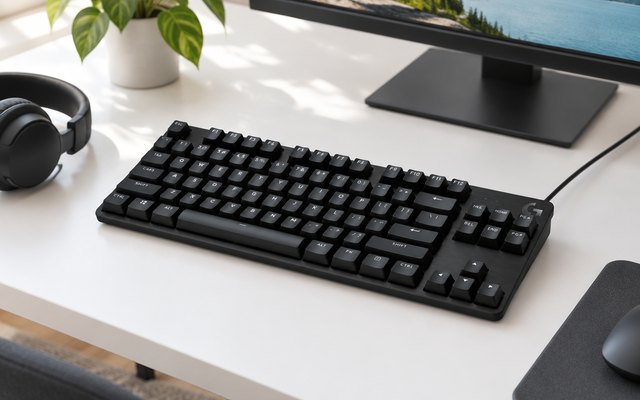
#2Logitech G413 TKL SE Mechanical Keyboard
$50–$75
A tenkeyless board from Logitech G with tactile switches, hard-wearing PBT keycaps and a brushed aluminum top, lit in plain white rather than rainbow colors, so it looks as much at home on an office desk as on a gaming one.
What owners say: Owners describe a solidly built board with good keycaps, a satisfying tactile response and clear, bright backlighting, and one moves it between Mac, Windows and Linux machines without fuss.
A closer look: Volume, play and pause, mute and a Windows lock for games sit on the F keys, reached with the FN key, and the lighting’s brightness changes the same way. Logitech makes the same board in full size too, with a number pad, for anyone who types a lot of figures.
- Brushed aluminum-magnesium top
- Media controls on F keys
- Windows lock for games
Best for: Office and gaming alike
- Size
- Tenkeyless
- Switches
- Tactile
- Connection
- Wired USB
- Hot-swap
- No
- Backlight
- White
- Keycaps
- PBT
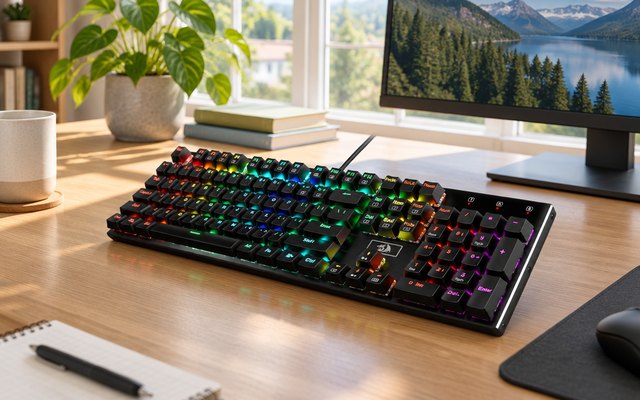
#3Redragon K556 Devarajas Full-Size Mechanical Keyboard
$30–$50
A full-size board with the number pad, built on a brushed, anodized aluminum frame that keeps it from flexing or sliding. Its brown switches give a soft tactile bump for long typing sessions, and the hot-swap sockets take almost any 3- or 5-pin switch.
What owners say: Heavy and solid enough that it doesn’t move around, owners say, with smooth brown switches and rich colors. Durability lets a few down: their keys stopped working.
A closer look: Eight spare switches come in the box with a combined keycap and switch puller, so a worn or sticky key can be changed in a minute. Redragon’s free software sets custom lighting and records macros, though the presets work with nothing installed.
- 8 spare switches in box
- Keycap and switch puller
- Anodized brushed aluminum frame
- Records macros in free software
Best for: Typing with a number pad
- Size
- Full size
- Switches
- Brown, tactile
- Connection
- Wired, USB-C cable
- Hot-swap
- 3- and 5-pin
- Backlight
- RGB
- Keycaps
- ABS
#4Redragon K668 Hot-Swap Wired RGB Mechanical Keyboard (108 keys)
$30–$50
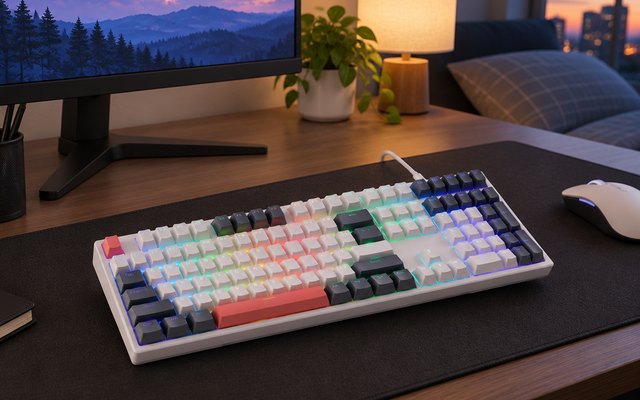
Four extra hotkeys for mute, calculator, screen lock and desktop, a number pad, and sockets that take 3- or 5-pin switches without soldering, all on a full-size board. It ships with quiet linear reds and a second set of keycaps in a contrasting color, so it can be made to look and feel different without buying anything else.
What owners say: Owners praise switches that sound mechanical without being harsh and the per-key RGB, say the typing feel is neither stiff nor mushy, and like the second keycap set and a build that is easy to repair.
A closer look: Start with the stock reds for a shared room and swap in clicky or tactile switches later: the sockets take them without tools beyond the puller in the box. The two keycap sets mix well, with the accent color on the modifiers, and the software is where the four hotkeys get their own shortcuts.
- Mute, calculator and lock hotkeys
- Lighting syncs to music
- Two-stage tilt feet
Best for: Trying new switches and keycaps
- Size
- Full-size, 108 keys
- Switches
- Red linear, hot-swap
- Connection
- Wired, USB-C
- Hot-swap
- 3- and 5-pin
- Backlight
- RGB, 19 modes
- Keycaps
- ABS, 2 sets
#5AULA F99 Wireless Mechanical Keyboard
$50–$75
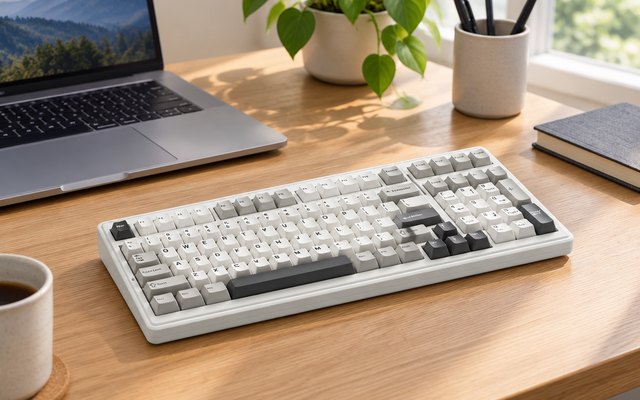
The number pad without the width of a full board: a 96% layout of 99 keys that connects by 2.4GHz receiver, Bluetooth or USB-C cable. An 8,000 mAh battery keeps it going, and pre-lubed linear switches sit in hot-swap sockets under double-shot PBT keycaps.
What owners say: Owners talk up the creamy sound, the smooth keys and a Bluetooth link that holds steady, and one singles out the strip of light down the side. Some report keys that stopped responding.
A closer look: An FN key shortcut switches between up to five paired devices, so one board can serve a desktop, a laptop and a tablet in turn. Pullers for keycaps and switches come in the box, with two spare switches for trying a swap.
- 8,000 mAh battery
- Switches between 5 devices
- Pullers and 2 spare switches
- Five layers of sound damping
Best for: Spreadsheets across desktop, laptop and tablet
- Size
- 96%
- Switches
- Graywood, linear
- Connection
- 2.4GHz, Bluetooth, USB-C
- Hot-swap
- 3- and 5-pin
- Backlight
- RGB
- Keycaps
- Double-shot PBT
How they compare
Swipe sideways or rotate device to see all 5.
| Feature | #1AULA F75 Pro | #2Logitech G413 TKL SE | #3Redragon K556 | #4Redragon K668 | #5AULA F99 |
|---|---|---|---|---|---|
| Best overall | Best full-size | Best budget | |||
| Picked Rating | 9.4 | 9.3 | 9.1 | 9.0 | 8.9 |
| Price | $50–$75 | $50–$75 | $30–$50 | $30–$50 | $50–$75 |
| Size | 75% | Tenkeyless | Full size | Full-size, 108 keys | 96% |
| Switches | LEOBOG Reaper, linear | Tactile | Brown, tactile | Red linear, hot-swap | Graywood, linear |
| Connection | 2.4GHz, Bluetooth, USB-C | Wired USB | Wired, USB-C cable | Wired, USB-C | 2.4GHz, Bluetooth, USB-C |
| Hot-swap | 3- and 5-pin | No | 3- and 5-pin | 3- and 5-pin | 3- and 5-pin |
| Backlight | RGB | White | RGB | RGB, 19 modes | RGB |
| Keycaps | PBT, side-printed | PBT | ABS | ABS, 2 sets | Double-shot PBT |
| Best for | A wireless desk setup | Office and gaming alike | Typing with a number pad | Trying new switches and keycaps | Spreadsheets across desktop, laptop and tablet |
| Buy now | Amazon | Amazon | Amazon | Amazon | Amazon |
Photos are illustrative, some computer-generated. As an Amazon Associate we earn from qualifying purchases. It costs you nothing extra. How we pick · How this works.


