Top 5 compared
The best mesh Wi-Fi systems
Strong Wi-Fi upstairs, in the kitchen and in the office over the garage, with no dead spots left in the house.
As an Amazon Associate we earn from qualifying purchases. It costs you nothing extra. How this works
The top 5 at a glance




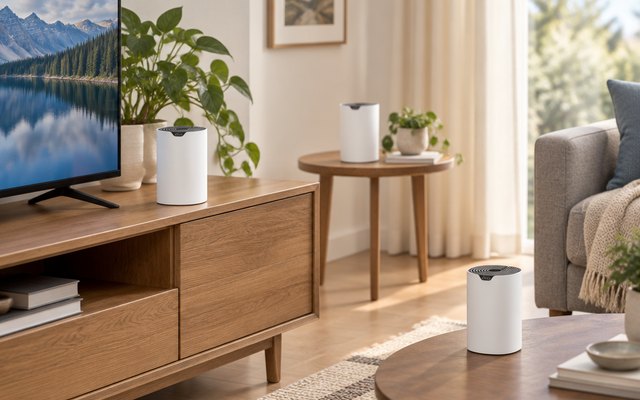
A mesh system swaps one router’s signal for several units spread around the house, all sharing one network name, so phones and laptops move to the nearest unit as you go from room to room. It suits homes with weak spots everywhere: thick walls, long layouts, three floors. Each system here replaces the router from your internet provider, though most cable and DSL plans still need their modem.
Wi-Fi 5, 6, 6E and 7 are the generations: newer phones and laptops get the most from the later ones, and older devices still connect. Coverage figures are each maker’s own for the whole pack, and walls and floors cut them down. TP-Link and eero sell optional subscriptions for extra security and controls; the Wi-Fi works without them.
What matters
- An Ethernet port on every unit, for a TV, console or desktop.
- 2.5-gigabit ports, if your internet plan is faster than a gigabit.
- Wired backhaul, for linking units by cable where there’s a jack.
- Units that work with the maker’s other models, for adding more later.

#1TP-Link Deco X55 AX3000 Wi-Fi 6 Mesh System (3-pack)
$100–$150
Wi-Fi 6 across three identical units, which TP-Link rates for up to 6,500 sq ft and 150 devices. Any unit can act as the router, and a cable between units, where a room has a network jack, frees up more speed for the Wi-Fi. Our ratings put the Deco S4 higher, yet it runs on Wi-Fi 5, a generation older.
What owners say: Setup is quick, owners report, and speeds hold up from room to room, with the signal carrying well into the yard. Price and reliability both get mixed verdicts, and some had a unit give out after three months.
A closer look: Setup runs through the Deco app: one unit connects to the modem with the cable in the box, and the other two go roughly halfway to the rooms where the signal fades. TP-Link pitches it at internet plans up to a gigabit; for anything faster, the eero 7 is the step up.
- Any unit works as router
- Handles up to 150 devices
- Units can link by cable
- Ethernet cable in the box
- Setup in the Deco app
Best for: Gigabit plans, with wired TVs and consoles
- Wi-Fi standard
- Wi-Fi 6
- Speed class
- AX3000
- Units in the pack
- 3
- Ethernet ports per unit
- 3 x gigabit
- Coverage (maker’s figure)
- Up to 6,500 sq ft
- Paid subscription
- HomeShield Pro, optional
#2TP-Link Deco S4 AC1900 Mesh Wi-Fi System (3-pack)
$75–$100
Three Wi-Fi 5 units for much less than the Deco X55, rated for up to 5,500 sq ft, with parental controls in the Deco app and Alexa voice control for the guest network.
What owners say: Owners describe a strong, steady signal through the house, one covering 5,000 sq ft, and call setup simple. Some see the connection drop now and then, and a few units died after several months.
A closer look: Every Deco model works with every other, so a newer Deco unit can join the network later wherever a room needs more speed. TP-Link puts the pack at up to 100 devices against 150 for the Deco X55, so a busy household on a gigabit plan gets more from the Wi-Fi 6 systems here.
- Parental controls in the app
- Alexa controls the guest network
- Up to 100 devices
- Works with other Deco units
- Units can link by cable
Best for: Households with fewer gadgets
- Wi-Fi standard
- Wi-Fi 5
- Speed class
- AC1900
- Units in the pack
- 3
- Ethernet ports per unit
- 2–3 x gigabit (by version)
- Coverage (maker’s figure)
- Up to 5,500 sq ft
- Paid subscription
- None listed by TP-Link
#3TP-Link Deco XE75 AXE5400 Tri-Band Wi-Fi 6E Mesh System (3-pack)
$200–$300
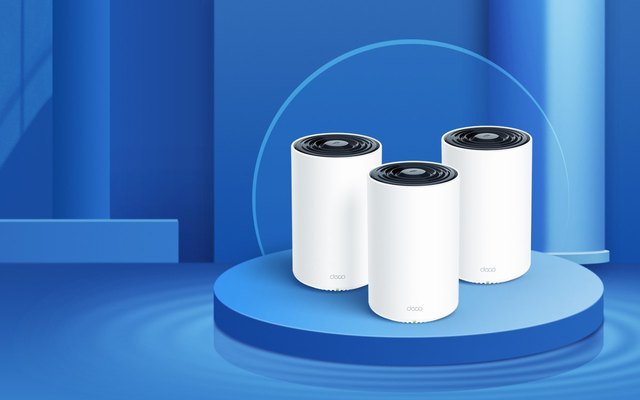
A third band, at 6GHz, carries traffic between the units by default, leaving the other two free for phones and laptops, and TP-Link rates the 3-pack for up to 7,200 sq ft, the most here. Each unit has three gigabit ports.
What owners say: Owners keep coming back to its reach through big houses, one saying it covers half a city block, and to the easy setup. Reliability and dropped connections get mixed reports, and opinions on value differ.
A closer look: Out of the box the 6GHz band links the units to each other; switch it to a network in the app and Wi-Fi 6E phones and laptops can join it directly. Everything older connects on the other two bands, so nothing in the house is left out.
- Three Wi-Fi bands
- 6GHz band links the units
- Up to 200 devices
Best for: Large homes and long layouts
- Wi-Fi standard
- Wi-Fi 6E
- Speed class
- AXE5400
- Units in the pack
- 3
- Ethernet ports per unit
- 3 x gigabit
- Coverage (maker’s figure)
- Up to 7,200 sq ft
- Paid subscription
- HomeShield Pro, optional
#4Amazon eero 6+ Mesh Wi-Fi System (3-pack)
$200–$300
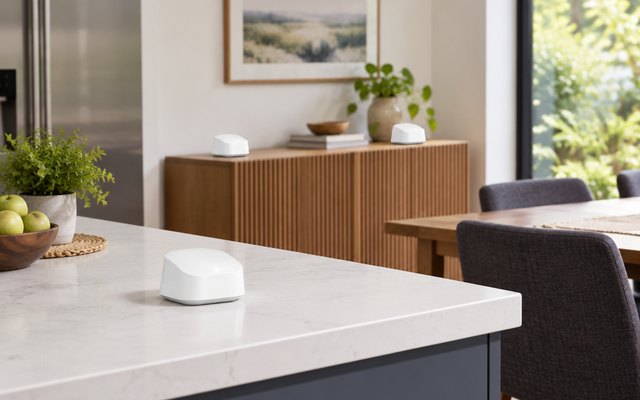
eero, a San Francisco mesh Wi-Fi start-up, has been part of Amazon since 2019, and the eero 6+ doubles as a smart home hub for Zigbee and Thread devices with Alexa. Three identical Wi-Fi 6 units with 160 MHz channels handle plans up to a gigabit.
What owners say: One owner has 4,000 sq ft covered with no dead spots, and setup takes minutes for most. Connections drop for some while others call them rock-solid, and a few doubt it justifies the cost.
A closer look: Each unit is about 3.9 in across, small enough for a bookshelf or the spot beside the TV. eero Plus, the optional subscription for extra security and network controls, comes with a 30-day free trial for new eero customers, so its extras can be tried before paying.
- Smart home hub built in
- Each unit 3.9 in across
- Automatic updates
- Suits gigabit internet plans
Best for: Alexa smart homes
- Wi-Fi standard
- Wi-Fi 6
- Speed class
- AX3000
- Units in the pack
- 3
- Ethernet ports per unit
- 2 x gigabit
- Coverage (maker’s figure)
- Up to 4,500 sq ft
- Paid subscription
- eero Plus, optional
#5Amazon eero 7 Wi-Fi 7 Mesh System (3-pack)
Over $300
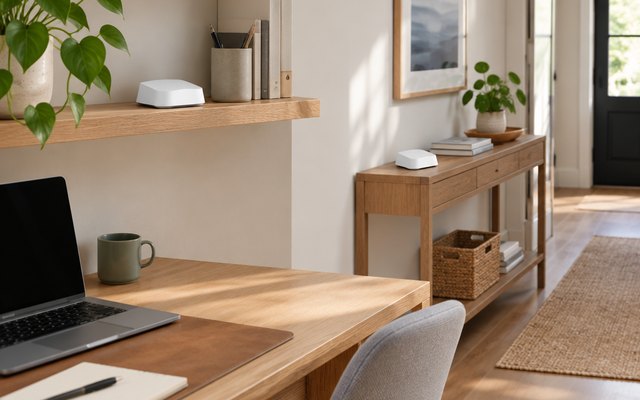
Two 2.5-gigabit ports on every unit handle internet plans up to 2.5 Gbps, and Wi-Fi 7’s multi-link operation lets newer phones and laptops use both bands at once. Three units cover up to 6,000 sq ft and more than 120 devices, with a three-year warranty.
What owners say: Owners had it running in about 15 minutes and praise the speed and reach, plus how simply the app manages devices. Some run into connection problems, and a few work laptops don’t get along with it.
A closer look: The 2.5-gigabit ports pay off on internet plans faster than a gigabit, or for a desktop or network storage wired to one of the units. It works alongside older eero units, so an existing eero network can grow with it rather than be replaced.
- Newer devices use both bands
- Smart home hub built in
- More than 120 devices
- Works with older eero units
- Three-year warranty
Best for: Fast plans and Wi-Fi 7 devices
- Wi-Fi standard
- Wi-Fi 7
- Speed class
- BE5000
- Units in the pack
- 3
- Ethernet ports per unit
- 2 x 2.5-gigabit
- Coverage (maker’s figure)
- Up to 6,000 sq ft
- Paid subscription
- eero Plus, optional
How they compare
Swipe sideways or rotate device to see all 5.
| Feature | #1Deco X55 | #2Deco S4 | #3Deco XE75 | #4eero 6+ | #5eero 7 |
|---|---|---|---|---|---|
| Best overall | Best budget | Best for big homes | Best for Wi-Fi 7 | ||
| Picked Rating | 8.7 | 8.8 | 8.6 | 8.6 | 8.6 |
| Price | $100–$150 | $75–$100 | $200–$300 | $200–$300 | Over $300 |
| Wi-Fi standard | Wi-Fi 6 | Wi-Fi 5 | Wi-Fi 6E | Wi-Fi 6 | Wi-Fi 7 |
| Speed class | AX3000 | AC1900 | AXE5400 | AX3000 | BE5000 |
| Units in the pack | 3 | 3 | 3 | 3 | 3 |
| Ethernet ports per unit | 3 x gigabit | 2–3 x gigabit (by version) | 3 x gigabit | 2 x gigabit | 2 x 2.5-gigabit |
| Coverage (maker’s figure) | Up to 6,500 sq ft | Up to 5,500 sq ft | Up to 7,200 sq ft | Up to 4,500 sq ft | Up to 6,000 sq ft |
| Paid subscription | HomeShield Pro, optional | None listed by TP-Link | HomeShield Pro, optional | eero Plus, optional | eero Plus, optional |
| Best for | Gigabit plans, with wired TVs and consoles | Households with fewer gadgets | Large homes and long layouts | Alexa smart homes | Fast plans and Wi-Fi 7 devices |
| Buy now | Amazon | Amazon | Amazon | Amazon | Amazon |
Photos are illustrative, some computer-generated. As an Amazon Associate we earn from qualifying purchases. It costs you nothing extra. How we pick · How this works.


