Top 4 compared
The best Wi-Fi extenders
Wi-Fi that reaches the back bedroom, the basement office and the porch, without a new router.

As an Amazon Associate we earn from qualifying purchases. It costs you nothing extra. How this works
The top 4 at a glance
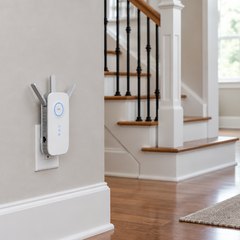
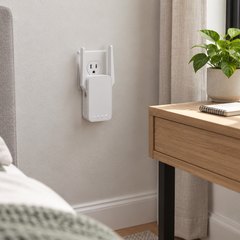
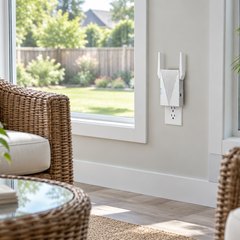
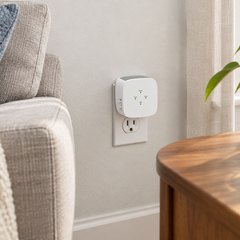
An extender sits between the router and a room the signal struggles to reach, picks up the router’s Wi-Fi and passes it on. It’s the quick fix for one weak spot; a house with weak spots everywhere is a job for a mesh Wi-Fi system instead. Put it where the router’s signal is still good, about halfway to the weak spot, rather than in the dead spot itself.
Every one here plugs straight into a wall outlet. Most have an Ethernet port, so a TV, console or desktop in the far room can join by cable, and most can also run as an access point from a network cable. The NETGEAR is the exception on both, with its antennas hidden inside the case.
What matters
- Wi-Fi 6, if the router, phones and laptops have it too.
- A gigabit Ethernet port rather than a 100 Mbps one.
- A signal light or app that shows how strong the link is.
- EasyMesh, to share one network with a compatible router.
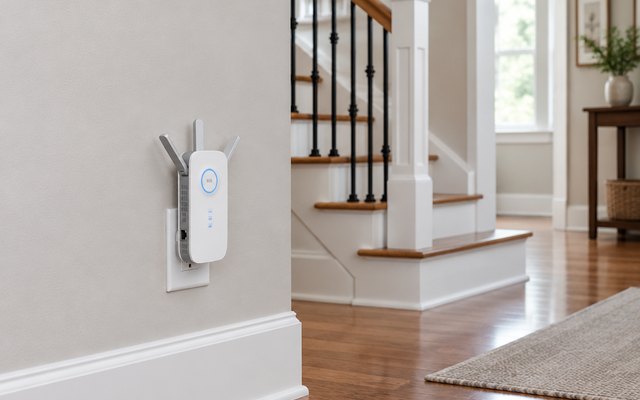
#1TP-Link RE550 AC1900 Wi-Fi Extender
$30–$50
Three adjustable antennas and AC1900 dual-band Wi-Fi in a plug-in unit, with a gigabit port that makes it a wired link for a smart TV or console in a far room. It joins EasyMesh routers as part of one network.
What owners say: Owners report a strong signal across the house, with speed tests around 200 Mbps through it and one reaching 866 Mbps. A few had it drop the connection at random, and its price divides opinion.
A closer look: Angling the three antennas in different directions spreads the coverage, so try a few positions before settling on one. Setup runs through TP-Link’s Tether app, which also keeps the firmware up to date and can switch the lights off if it sits in a bedroom.
- Three adjustable antennas
- Lights switch off for bedrooms
- Sets up in TP-Link’s app
- Up to 32 devices
- 2-year warranty
Best for: Reaching distant rooms, wired or wireless
- Wi-Fi standard
- Wi-Fi 5
- Speed class
- AC1900
- Ethernet port
- Gigabit
- Access point mode
- Yes
- Mesh with
- EasyMesh, OneMesh
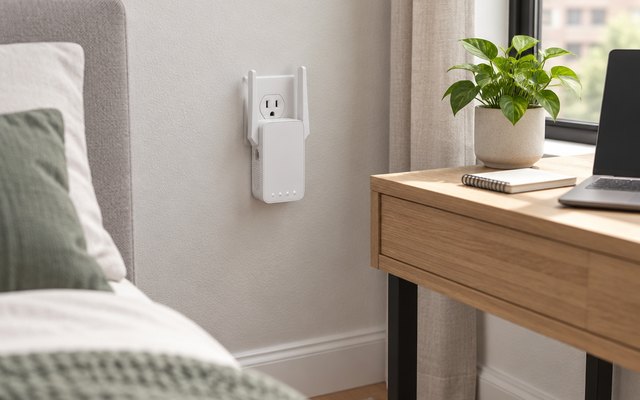
#2TP-Link RE315 AC1200 Wi-Fi Extender
$20–$30
A small wall-plug extender with two fold-out antennas and AC1200 dual-band Wi-Fi, sized for an apartment or a smaller house. A 100 Mbps Ethernet port takes a streaming box or desktop by cable, and it joins EasyMesh routers as part of one network.
What owners say: Setup is painless by most accounts, and rooms that barely had a signal end up with a usable one. Speed and stability are less consistent: some lose the connection now and then, and for a handful it stopped working within its first month.
A closer look: Its signal light shows how good the link to the router is, so plug it in, check the light and move it an outlet closer if the link is weak. The Ethernet port tops out at 100 Mbps, plenty for streaming but slower than a fast internet plan.
- Two fold-out antennas
- Signal light helps placement
- Up to 32 devices
- 2-year warranty
Best for: Apartments and small homes
- Wi-Fi standard
- Wi-Fi 5
- Speed class
- AC1200
- Ethernet port
- Fast Ethernet (100 Mbps)
- Access point mode
- Yes
- Mesh with
- EasyMesh, OneMesh
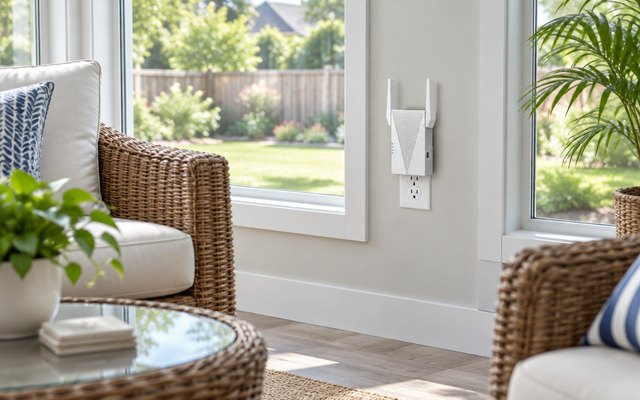
#3TP-Link RE615X AX1800 Wi-Fi 6 Extender
$50–$75
The newer Wi-Fi 6 standard in a plug-in extender, for homes with a Wi-Fi 6 router and newer phones or laptops. Two high-gain antennas with beamforming aim the signal at connected devices, a gigabit port takes a console or desktop by cable, and TP-Link rates it for up to 2,100 sq ft and 64 devices.
What owners say: Setup takes minutes, and owners describe a weak room gaining a couple of bars, with one measuring downloads of 90 to 120 Mbps through it. Some have run it for six months without a hiccup; others had it lose the connection or stop working altogether.
A closer look: Older routers work with it, but a Wi-Fi 6 router is what lets it reach full speed. Where an Ethernet cable already runs to the far room, access point mode is the better setup: it takes the wired connection and puts out a fresh Wi-Fi network there instead of relaying a weak signal.
- Aims signal at your devices
- Up to 2,100 sq ft
- Up to 64 devices
- Two high-gain antennas
- 2-year warranty
Best for: Pairing with a newer router
- Wi-Fi standard
- Wi-Fi 6
- Speed class
- AX1800
- Ethernet port
- Gigabit
- Access point mode
- Yes
- Mesh with
- EasyMesh
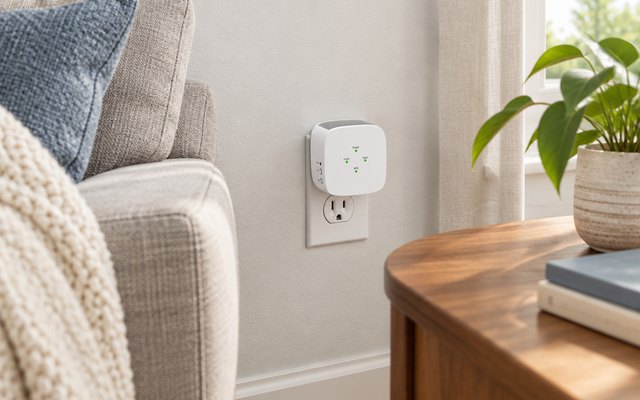
#4NETGEAR EX5000 AC1200 Wi-Fi Extender
$20–$30
A compact wall-plug cube with its antennas tucked inside, for anyone who’d rather not have antennas sticking out of an outlet. Setup runs through NETGEAR’s Nighthawk app or a press of the WPS buttons on the router and the extender, and it works with any router.
What owners say: Easy to get running, and good at lifting the signal across a small or medium-sized space, by most accounts. Past that, signal strength, speed and range draw mixed reports, and several owners end up resetting it more often than they’d like.
A closer look: There’s no Ethernet port, so it suits phones, tablets and laptops rather than a console that wants a cable. FastLane, in the settings, uses one band to talk to the router and the other for devices, and the firmware updates itself automatically.
- LED lights guide placement
- Works with any router
- Firmware updates itself
- App or button setup
- Up to 25 devices
Best for: One room, nothing sticking out
- Wi-Fi standard
- Wi-Fi 5
- Speed class
- AC1200
- Ethernet port
- No
- Access point mode
- No
- Mesh with
- –
How they compare
Swipe sideways or rotate device to see all 4.
| Feature | #1TP-Link RE550 | #2TP-Link RE315 | #3TP-Link RE615X | #4NETGEAR EX5000 |
|---|---|---|---|---|
| Best overall | Best budget | Best for Wi-Fi 6 | ||
| Picked Rating | 8.4 | 8.2 | 8.2 | 7.8 |
| Price | $30–$50 | $20–$30 | $50–$75 | $20–$30 |
| Wi-Fi standard | Wi-Fi 5 | Wi-Fi 5 | Wi-Fi 6 | Wi-Fi 5 |
| Speed class | AC1900 | AC1200 | AX1800 | AC1200 |
| Ethernet port | Gigabit | Fast Ethernet (100 Mbps) | Gigabit | No |
| Access point mode | Yes | Yes | Yes | No |
| Mesh with | EasyMesh, OneMesh | EasyMesh, OneMesh | EasyMesh | – |
| Best for | Reaching distant rooms, wired or wireless | Apartments and small homes | Pairing with a newer router | One room, nothing sticking out |
| Buy now | Amazon | Amazon | Amazon | Amazon |
Photos are illustrative, some computer-generated. As an Amazon Associate we earn from qualifying purchases. It costs you nothing extra. How we pick · How this works.