Top 5 compared
The best gaming mice
Quicker aim, a button for every shortcut and a shape that fits your hand, for fast shooters, strategy games and MMOs alike.
As an Amazon Associate we earn from qualifying purchases. It costs you nothing extra. How this works
The top 5 at a glance
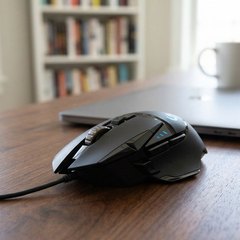
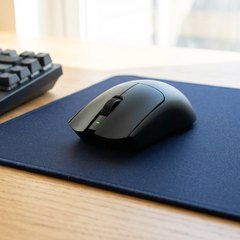
A gaming mouse is an ordinary mouse built for speed and control: a sharper sensor, switches that click cleanly and extra buttons for the actions pressed most often. Light mice suit fast shooters, where aim is all quick flicks of the wrist, while bigger, heavier ones with more buttons suit strategy games and MMOs, where shortcuts count for more than speed.
Wired mice never need charging. Wireless gaming mice talk to a small USB receiver made for games, and some pair by Bluetooth too. They run on an AA battery or a built-in rechargeable one. Some are shaped for a right hand, and others are symmetrical. On most, the buttons and sensitivity are set in the maker’s own software, and some of it runs only on Windows.
What matters
- A shape made for your hand, right-handed or symmetrical.
- Wired for no charging, or wireless with a long battery life.
- Enough buttons for the shortcuts your games use.
- Button software that runs on your computer, Windows or Mac.
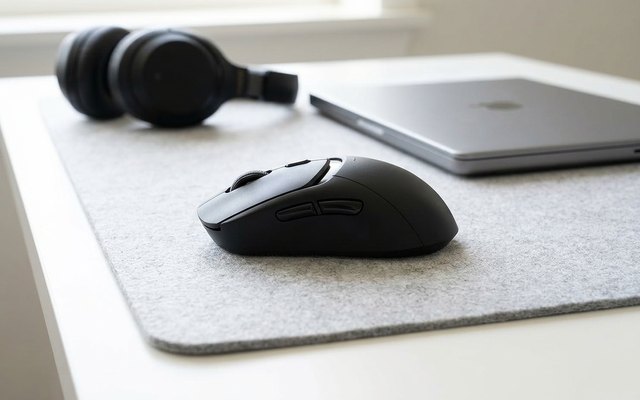
#1Logitech G309 LIGHTSPEED Wireless Gaming Mouse (black)
$50–$75
- Over 300 hours per AA
- Light at 86 g
- Software runs on Mac too
Two ways to connect in one light mouse: LIGHTSPEED wireless through its USB receiver for games, or Bluetooth, which needs no receiver at all. The HERO 25K sensor tracks with no smoothing, and LIGHTFORCE switches pair an optical response with a mechanical click.
What owners say: Owners call it a very good mouse with excellent build quality and a reliable wireless connection, and they like the battery life, the light weight and the snug, comfortable fit. No fault is reported often.
A closer look: The AA battery, a USB extender for the receiver and grip tape for the sides all come in the box. On a POWERPLAY charging pad, sold separately, it runs without the battery and weighs 68 g.
Best for: Connecting by Bluetooth
- Connection
- Wireless (USB receiver or Bluetooth)
- Power
- 1 AA, 300+ hrs
- Buttons
- 6
- Weight
- 86 g (3 oz) with its AA
- Shape
- Symmetrical, side buttons on the left
- Stated to work with
- Windows, Mac
- Button software runs on
- Windows and Mac (G HUB)
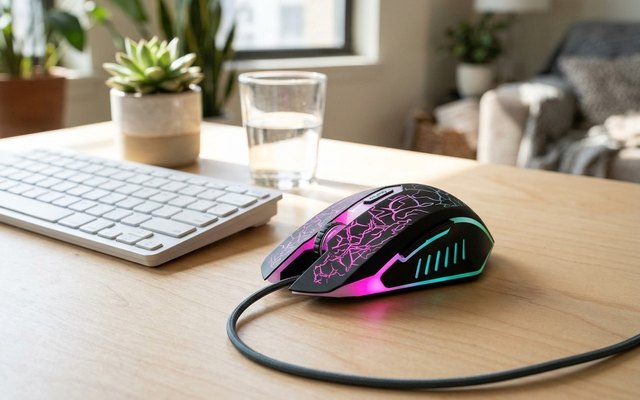
#2VersionTECH Wired Gaming Mouse with 7-Colour Lights (BX017)
$10–$20
- Light at 82 g
- Works on Windows, Mac, Linux
- No button software
A plain wired gaming mouse for casual games on a laptop or desktop: four sensitivity steps change at the press of a button, and the lights cycle through seven colours or switch off. It plugs straight into Windows, Mac or Linux with nothing to install.
What owners say: Owners say it works as it should and are pleased with the price, and they like the colour-changing lights, the look and how comfortable it feels in the hand. No complaint keeps coming up.
A closer look: To turn the lights off, hold a side button and press the sensitivity button at the same time. The scroll wheel has a rubber grip, and the optical sensor tracks on a wide range of surfaces. VersionTech backs it with a 12-month guarantee and a 45-day money-back promise.
Best for: Cost friendly
- Connection
- Wired
- Power
- USB cable
- Buttons
- 6
- Weight
- 82 g (2.9 oz)
- Shape
- Symmetrical
- Stated to work with
- Windows, Mac, Linux
- Button software runs on
- None (no app)
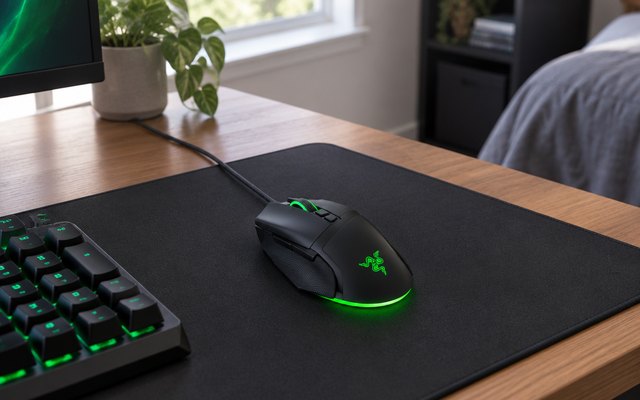
#3Razer Basilisk V3 Wired Gaming Mouse (black)
$50–$75
- 11 programmable buttons
- Free-spin or notched scroll wheel
- Switches rated 70M clicks
- Software for Windows only
- Newer model out
Eleven programmable buttons, a multi-function trigger among them, take push-to-talk, pings and macros, and the scroll wheel either spins freely through long pages or clicks notch by notch for switching weapons. The optical switches under the main buttons are rated for 70 million clicks.
What owners say: Owners like the look, the pretty colours and where the buttons sit. Reliability, the scroll wheel, the custom settings and how easy it is to use all draw mixed reports.
A closer look: Its scroll wheel also tilts to the side, and the lighting reacts to over 150 games that support Razer Chroma. Buttons, sensitivity steps and lighting are set in Razer’s Synapse app. Razer has since brought out the Basilisk V3 35K, and this one is still sold new.
Best for: Lots of shortcut buttons
- Connection
- Wired
- Power
- USB cable
- Buttons
- 11
- Weight
- 101 g (3.6 oz)
- Shape
- Right-handed
- Stated to work with
- Windows
- Button software runs on
- Windows (Razer Synapse)
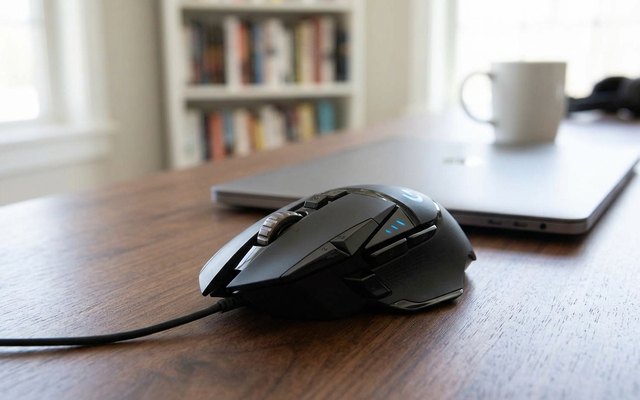
#4Logitech G502 HERO Wired Gaming Mouse (black)
$50–$75
- Five 3.6 g weights included
- 11 programmable buttons
- Software runs on Mac too
Five small weights in the box let you set how heavy it feels and where the balance sits, and eleven programmable buttons and a dual-mode scroll wheel sit under a right hand. Logitech’s HERO sensor tracks with no smoothing or acceleration.
What owners say: Owners love the comfortable, ergonomic grip, the many programmable buttons and its heft. Durability worries some, and opinions on its responsiveness are split.
A closer look: Start with the weights out and add them one at a time until aim feels steady, then save the set-up to a profile for that game. Its LIGHTSYNC lighting can also sync with the game being played.
Best for: Tuning the weight
- Connection
- Wired
- Power
- USB cable
- Buttons
- 11
- Weight
- 122 g (4.3 oz), plus 18 g of weights
- Shape
- Right-handed
- Stated to work with
- Windows, Mac
- Button software runs on
- Windows and Mac (G HUB)
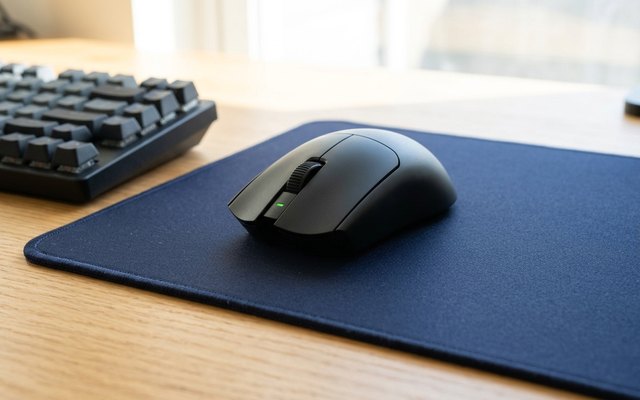
#5Razer Viper V4 Pro Wireless Gaming Mouse (black)
$150–$200
- Light at 49 g
- Up to 180 hours per charge
- Switches rated 100M clicks
The lightest mouse here, built with esports players for quick flicks in shooters, on Razer’s HyperSpeed wireless through its USB dongle or wired over the USB-C cable in the box. Its optical switches are rated for 100 million clicks, and the scroll wheel is optical too.
What owners say: Owners find it very responsive and remarkably light and praise the sensor’s accuracy, and some say a charge lasts a whole week. Others are let down by the noise, and views on its value differ.
A closer look: Razer gives it up to 180 hours a charge when it reports to the computer 1,000 times a second, or up to 45 hours at its top rate of 8,000 times a second, a setting made for fast, high-refresh screens. Grip tape comes in the box for a surer hold.
Best for: Lightest weight
- Connection
- Wireless (USB receiver) or USB-C cable
- Power
- Rechargeable, up to 180 hrs
- Buttons
- 6
- Weight
- 49 g (1.7 oz)
- Shape
- Symmetrical, side buttons on the left
- Stated to work with
- Windows, Mac
- Button software runs on
- Windows and Mac (Razer Synapse 4)
Side by side
How they compare
Swipe sideways or rotate device to see all 5.
| Feature | #1Logitech G309 | #2VersionTECH BX017 | #3Razer Basilisk V3 | #4Logitech G502 HERO | #5Razer Viper V4 Pro |
|---|---|---|---|---|---|
| Best overall | Best budget | ||||
| Picked Rating | 9.1 | 9.0 | 9.0 | 8.9 | 8.8 |
| Price | $50–$75 | $10–$20 | $50–$75 | $50–$75 | $150–$200 |
| Connection | Wireless (USB receiver or Bluetooth) | Wired | Wired | Wired | Wireless (USB receiver) or USB-C cable |
| Power | 1 AA, 300+ hrs | USB cable | USB cable | USB cable | Rechargeable, up to 180 hrs |
| Buttons | 6 | 6 | 11 | 11 | 6 |
| Weight | 86 g (3 oz) with its AA | 82 g (2.9 oz) | 101 g (3.6 oz) | 122 g (4.3 oz), plus 18 g of weights | 49 g (1.7 oz) |
| Shape | Symmetrical, side buttons on the left | Symmetrical | Right-handed | Right-handed | Symmetrical, side buttons on the left |
| Stated to work with | Windows, Mac | Windows, Mac, Linux | Windows | Windows, Mac | Windows, Mac |
| Button software runs on | Windows and Mac (G HUB) | None (no app) | Windows (Razer Synapse) | Windows and Mac (G HUB) | Windows and Mac (Razer Synapse 4) |
| Best for | Connecting by Bluetooth | Cost friendly | Lots of shortcut buttons | Tuning the weight | Lightest weight |
| Buy now | Amazon | Amazon | Amazon | Amazon | Amazon |
Spotted a mistake or something out of date? Tell usBack to top